


Most 'inline editors' let you edit only the parts of a page that a developer marked as editable in advance.
You may be able to change a headline, replace a hero image, or update a predefined content field. But click outside those approved areas, and the inline editor stops working. Or when the entire page is defined as components, you lose all your freedom and are completely limited to the provided toolset.
Kooboo takes a fundamentally different approach.
Kooboo is a source-aware, all-in-one inline editor that lets you edit the real website—not just predefined components. It traces rendered elements back to the source that produced them. There is currently not any other platform can do the same across HTML, CSS, reusable views, CMS content, databases, and multilingual values
If you can see it on the page, Kooboo helps you find where it came from—and gives you the correct way to edit it.
Click an element on the live page and Kooboo examines the element, the styles applied to it, the website object that produced it, and the data source behind it. The available editing actions appear at the location where you are already working.
You do not need to know in advance whether the visible result came from a Page, Layout, View, HTML Block, Label, CMS record, inline style, or external stylesheet. Kooboo traces that relationship for you.
This is not a visual mockup placed over the website. It is an editor for the real website.
Enter Inline Edit and select what you want to change
Open a Kooboo website and select Inline edit from the right side of the page. Kooboo loads the page in editing mode while preserving the context of the actual website.
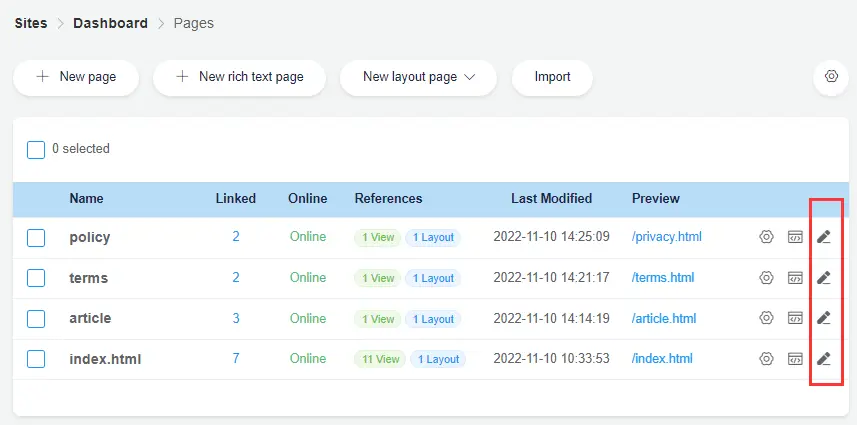
Once editing mode is active, select an element on the page. Kooboo displays the actions that apply to that element. At the same time, the page-level panel organizes editable resources from the complete page into practical groups.
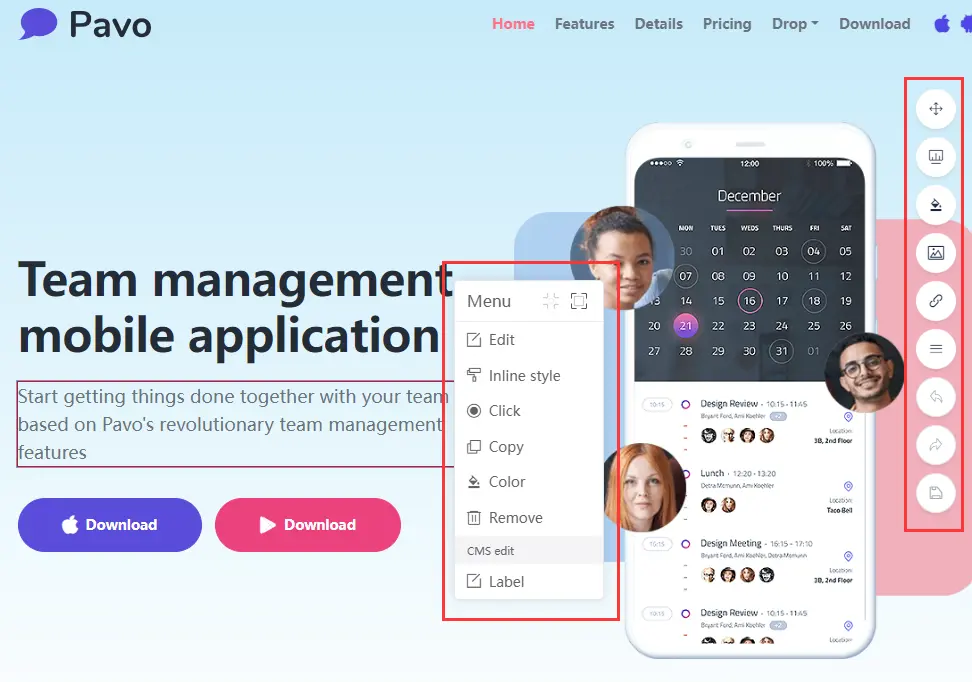
This gives users two ways to work:
- Element-level editing: click the exact thing you want to change.
- Page-level editing: review all text, colors, images, and links used by the page.
Page-level editing: understand the whole page
A web page is more than the text visible in its main content area. Its final appearance may depend on layouts, reusable views, embedded styles, external stylesheets, background images, navigation links, labels, and dynamic CMS content.
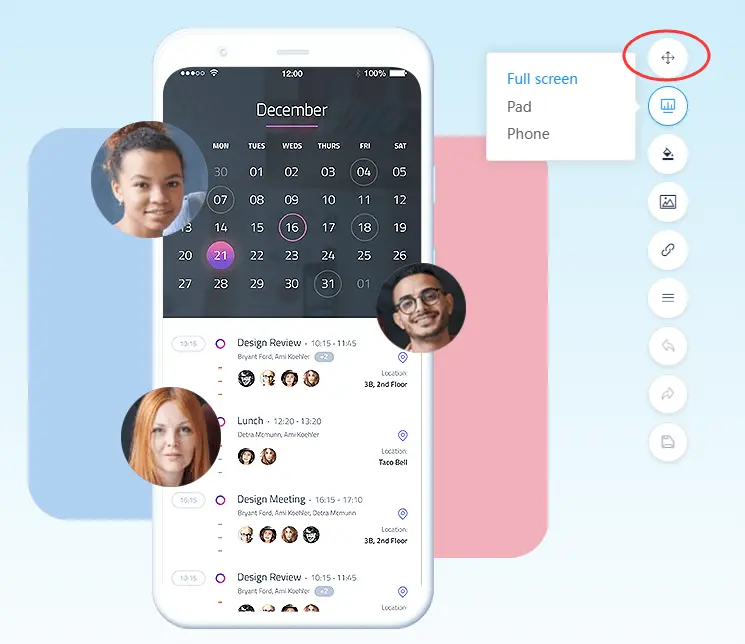
Kooboo analyzes the rendered page and groups its editable resources into four clear categories:
- Colors
- Images
- Links
- Text
Edit colors used by the page
The Color panel collects colors found in the page, including values from inline styles and stylesheet rules. Select a color to change it without manually searching through HTML and CSS files.
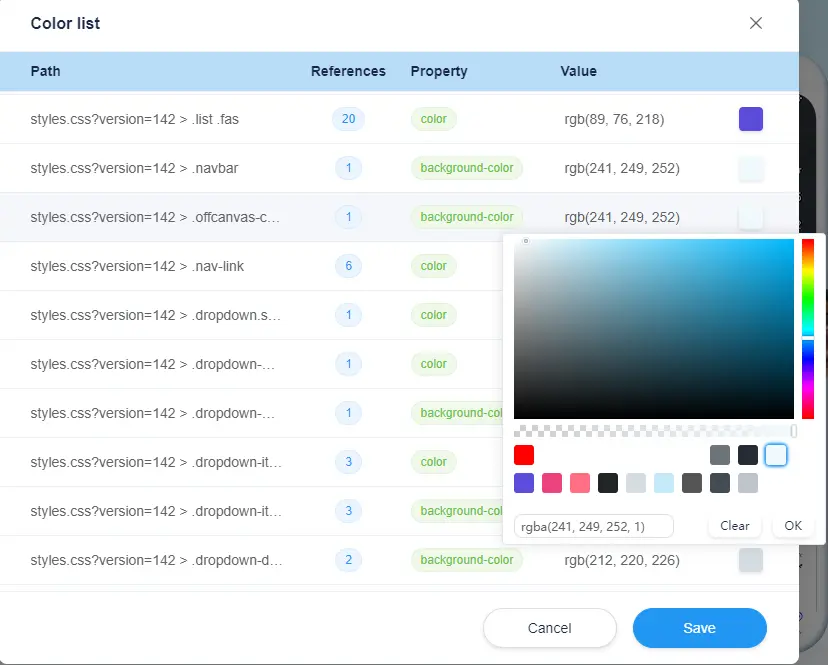
This is especially useful when updating a brand color. Instead of opening multiple stylesheets and guessing which selector controls the visible result, editors can begin with the result they see.
Find images in HTML and CSS
The Image panel gathers images used by page content and stylesheets. When an image is selected, Kooboo attempts to navigate to its location and highlight it on the page.
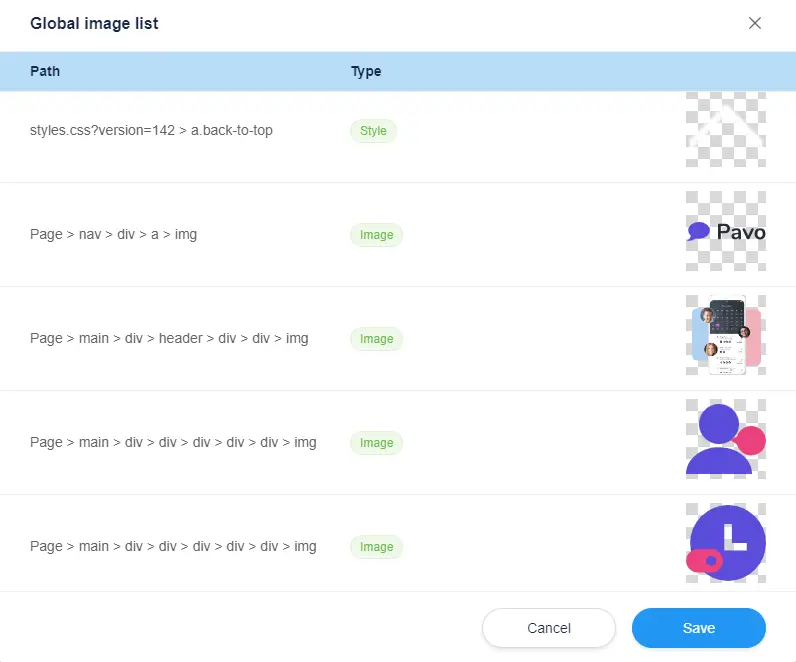
This includes images that are easy to miss in a traditional CMS, such as CSS background images that do not appear as normal content fields.
Manage links without searching the source
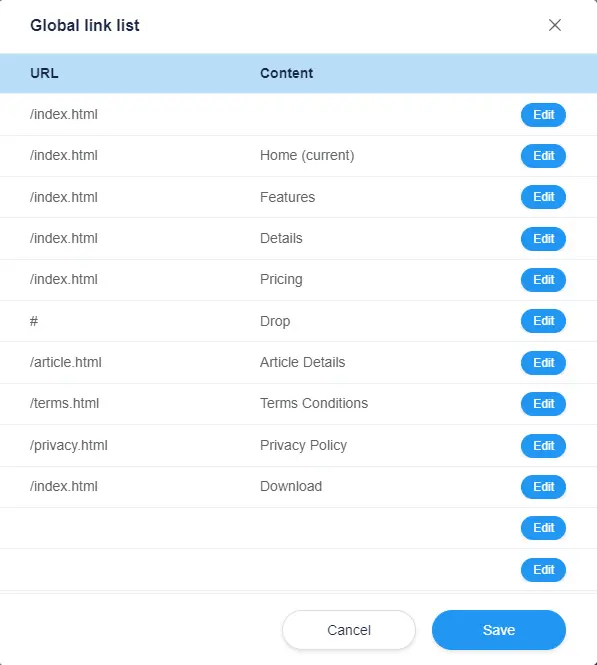
The Link panel provides direct access to URLs used on the page. Editors can review and update links without searching through layouts, views, and individual content objects.
Edit visible text in context
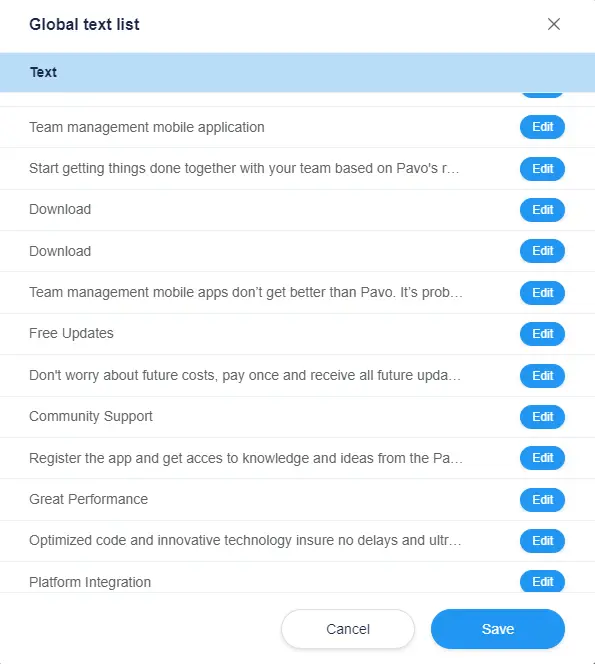
The Text panel lists text found on the page. Static text can be edited directly. When the text comes from a backend CMS object, Kooboo can provide an action that opens the relevant CMS editor.
Element-level editing: select the result, then choose the right action
When you select an element, Kooboo determines which editing operations make sense for it.
Available modes include:
- Edit: change the element’s visible content directly.
- Inline Style: edit common CSS properties on the selected element.
- Color: change relevant color values.
- Image: replace the selected image.
- CMS Edit: open the backend content record that generated the visible element.

Edit the content directly
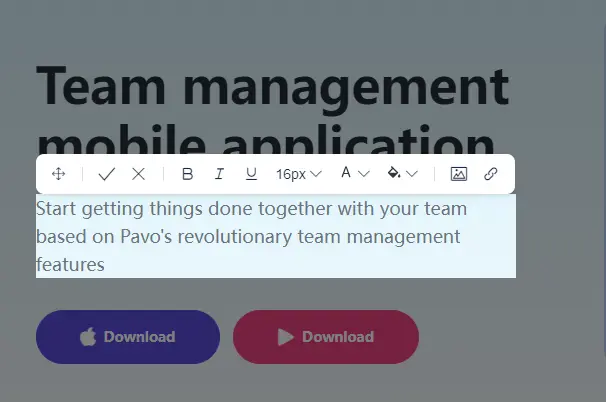
Select Edit to place the element into an editable state. Make the change where the text appears instead of locating the same text in a disconnected administration form.
Edit the element’s CSS
The Inline Style editor exposes common CSS properties such as color, font size, and background. This gives non-developers practical control while keeping the resulting change connected to the real HTML element.
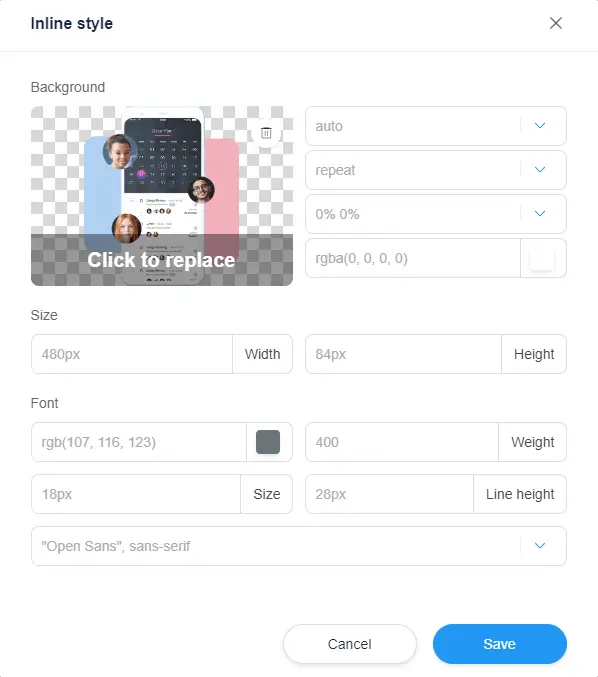
When a visible style comes from a stylesheet, Kooboo can trace the selector and update the corresponding CSS declaration instead of merely layering an unrelated visual override on top.
Replace an image where it appears
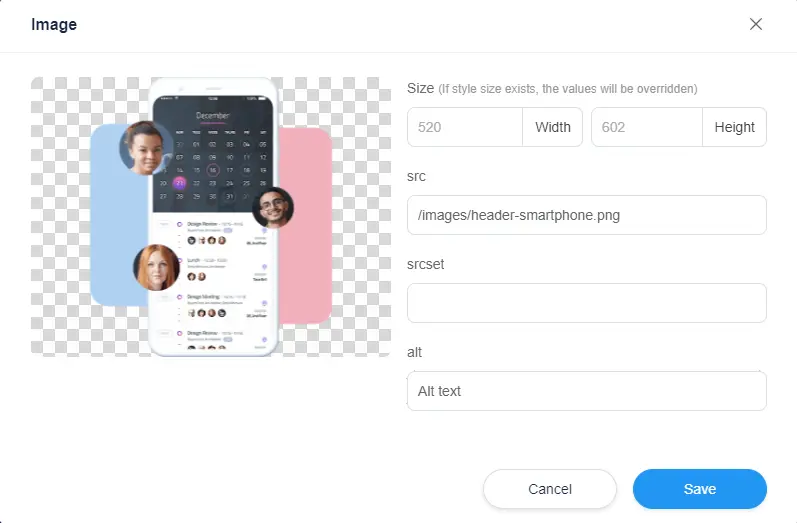
Select an image and choose the Image action to replace it. There is no need to search a media library first and then guess which content record, view, or stylesheet uses the file.
Follow dynamic content back to the CMS
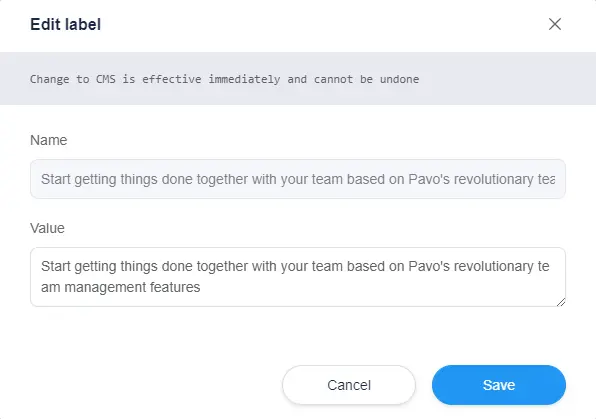
A visible element may be the result of a database or CMS query rather than static HTML. Editing only the rendered markup would be incorrect because the next request would regenerate the original value.
Kooboo preserves the connection to the data source. The CMS Edit action can open the relevant backend record so the authoritative content is changed.
Why other inline editors stop at predefined elements
A conventional visual editor usually owns a special component model. It can edit a heading because the heading was created as a Heading component. It can edit an image because the image was created as an Image component. It can edit content because the developer connected a specific field to the editor.
This model works until the page contains something outside the component system:
- HTML imported from another website
- Handwritten markup
- A reusable server-side view
- Text stored in a layout
- A label shared across pages
- Content returned by a database query
- A background image defined in CSS
- A color inherited from an external stylesheet
At that point, many editors can no longer answer the most important question:
Where did this visible element actually come from?
Kooboo was built to answer that question.
How Kooboo traces a rendered element to its source
When Kooboo renders a page in inline-design mode, it adds structural identifiers to editable DOM elements. These identifiers describe the element’s location in the source DOM.
Kooboo also places trace markers around rendered website objects. Those markers carry information about the source object, such as a Page, Layout, View, HTML Block, Label, or dynamic content record.
The rendered result therefore contains an editing map:
Visible element → structural location → source object → correct update operation
When an editor clicks an element, the frontend can send a structured change containing information such as:
- The source type
- The source object ID
- The element’s structural Kooboo ID
- The attribute or style property being changed
- The new value
- The current culture
The server then selects the modifier designed for that source.
Different sources receive different edits
Kooboo does not treat every visible value as plain HTML. The source code includes dedicated modification paths for:
- Pages
- Layouts
- Views
- HTML Blocks
- Labels
- Text Content
- Menus
- Configuration and key-value data
- Kooboo IndexedDB
- SQLite
- MySQL
- SQL Server
- MongoDB
This source-aware architecture is why Kooboo’s Inline Editor can go beyond predefined content slots. It understands that two visually identical paragraphs may have completely different sources and must be updated differently.
Kooboo updates the source, not a screenshot of the source
For DOM-based objects, Kooboo parses the original body, locates the element by its structural ID, and creates a targeted source update.
Depending on the action, Kooboo can update:
- The element’s inner content
- An HTML attribute
- An inline CSS property
- A matching stylesheet declaration
- The complete element
The update is applied to the original Page, Layout, View, or HTML Block and saved through its repository. The next normal page request renders from the updated source.
This avoids a common visual-editor problem: the preview looks correct, but the actual source remains disconnected, duplicated, or difficult to maintain.
Stylesheet editing that understands selectors
A page’s visible color or spacing may come from an inline declaration, an embedded style block, or an external stylesheet.
Kooboo’s editing path can carry the stylesheet URL, selector, media-rule information, CSS property, value, and !important state. The server can locate the corresponding CSS rule and update the declaration.
This is more precise than adding a new inline override every time someone changes the design. Kooboo can edit the rule that owns the visible value.
Multilingual editing follows the active language
Inline editing becomes much more valuable on a multilingual website because context matters. An editor viewing the German page should edit the German value—not accidentally overwrite the English default.
Kooboo’s content, Label, and HTML Block modifiers use the current rendering culture, with the site’s default culture as the fallback. The visible language remains connected to the corresponding stored language value.
The editing workflow becomes natural:
Open the language → find the text on the page → edit it in context → save the correct culture
Inline editing without giving up developer control
Visual tools often become a trade-off. They make editing easier by hiding the real HTML, CSS, data, and application structure. Developers later discover that the generated site is difficult to understand or extend.
Kooboo does not require that trade-off.
Editors can work visually. Developers can still work with real:
- HTML
- CSS
- Layouts and views
- Content models
- Database queries
- KScript
- APIs
The Inline Editor is another way into the same website model. It does not create a second, proprietary visual representation that must later be translated back into code.
Who benefits from a real inline editor?
Content editors
Edit the page you are looking at instead of navigating an administration tree and guessing which record controls the visible text.
Designers
Adjust colors, images, typography, and common styles in context while preserving access to the underlying HTML and CSS.
Developers
Keep control over real website objects and source code while giving non-developers a safer and more direct editing experience.
Agencies
Reduce support requests such as “Where do I edit this sentence?” or “Which stylesheet contains this color?” Clients can begin from the page itself.
Multilingual teams
Review and edit each language in its real visual context, including layout constraints and nearby content.
The website is the editing interface
The traditional CMS asks users to understand the system before changing the website.
Kooboo starts with what the user already understands: the website itself.
See the element. Click the element. Edit the source behind the element.
That is the difference between an editor that supports a collection of predefined fields and an editor designed to understand the complete website.
Kooboo's All-in-One Inline Editor connects rendered HTML to layouts, views, content, stylesheets, labels, databases, and multilingual values. It gives editors the simplicity of clicking on the page without taking control away from developers.