


An online store is often described as a website with a shopping cart. In production, it becomes a chain of separate systems.
The website publishes product pages. A commerce plugin owns the cart. A payment provider confirms money. A customer system holds accounts. An email platform sends notifications. Another service sends campaigns. A tracker estimates conversions. Developers keep the integrations synchronized while the business tries to discover which system contains the truth.
Kooboo begins with a different architecture:
The product page, product data, customer, cart, order, email, and business event belong to the same web application.
Commerce is a native Kooboo subsystem. It uses the same website runtime, KScript, AI, multilingual context, data storage, email, analytics, package system, and deployment model as the rest of the site.
Demo one: install a complete store
The Marketplace demonstration should begin with a clean Kooboo account:
- Open the Ecommerce category.
- Select one of the twelve featured store packages.
- Install it with one click.
- Open the running storefront.
- Inspect its products, categories, cart, customer pages, and administration area.
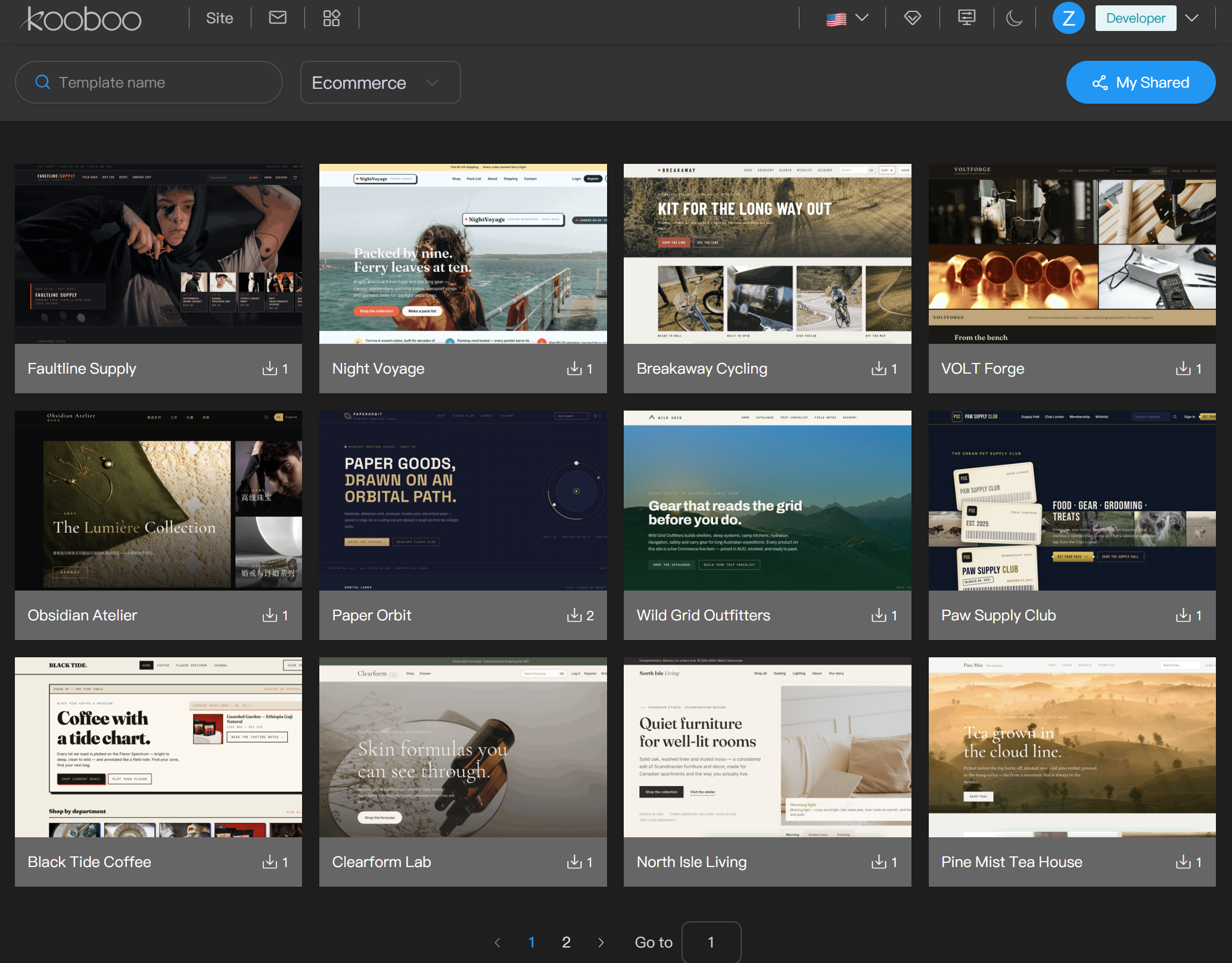
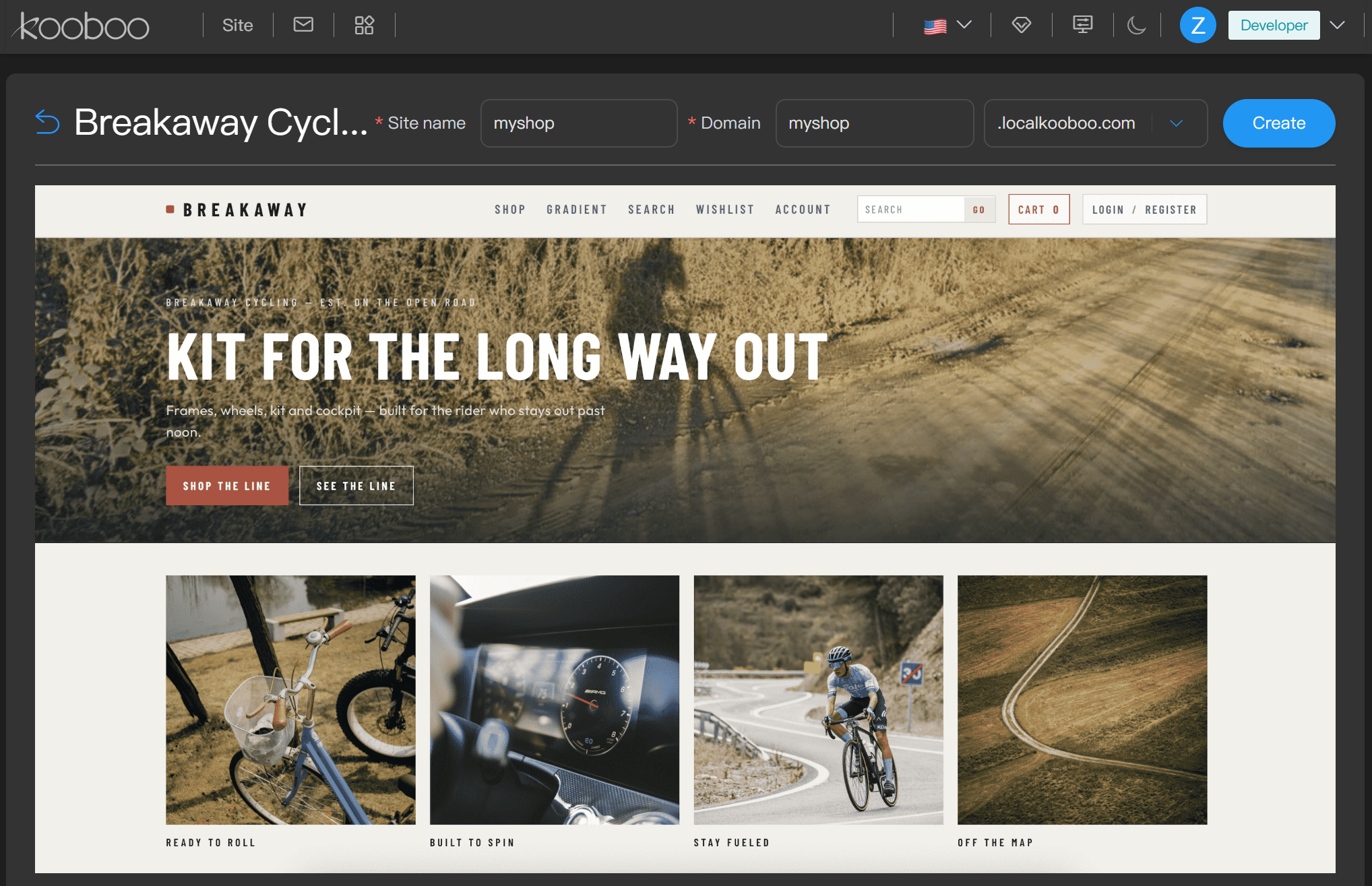
The installed result is not a collection of visual product cards. It contains the real commerce data and behavior that the storefront uses.
Demo two: ask AI to build and operate the catalog
Start from a new ecommerce website and ask Kooboo AI:
Create a multilingual coffee store with three categories, twelve products, product images, variants, inventory, a ten-percent launch discount, and a responsive product-detail page. Test product search and add one product to the cart.
AI can work with structured commerce functions rather than inventing mock product cards. Current native AI capabilities can create, read, update, list, and delete products; work with categories and discounts; inspect customers and orders; and query sales statistics.
The catalog is application data
Kooboo products are structured commerce entities with fields for title, description, SEO name, featured image, image gallery, tags, attributes, digital-product settings, variant options, and custom data.
Product variants add their own SKU, barcode, price, inventory, weight, image, selected options, and delivery behavior. Categories can form hierarchies and select products through configurable conditions.
The store can therefore represent:
- A simple product with one price
- A product with size, color, material, or other variants
- A physical product with inventory and weight
- A digital product with download limits and automatic delivery
- A catalog item with business-specific custom fields
Custom product data can be multilingual. Product queries execute in the website’s culture context, allowing the storefront to request the values required by the current language rather than maintaining a second translated catalog outside commerce.
The storefront remains a real Kooboo website
Commerce does not force every store into one fixed theme or rendering framework.
Pages, Layouts, Views, HTML, CSS, and JavaScript remain editable website objects. A developer can use server-side KScript to query products, search the catalog, retrieve prices, manage carts, create customers, or create orders. A designer can change the actual storefront structure. An editor can update visible elements through Kooboo’s source-aware inline editor.
For example, server-side JavaScript can retrieve products:
<script env="server">
  const products = k.commerce.product.list({
    pageIndex: 1,
    pageSize: 12
  });
</script>
The browser receives the rendered result, not the server-side commerce code.
The commerce engine supplies the business model. The website remains completely yours to design.
A cart is more than a list of IDs
Kooboo’s cart model connects the selected variants with quantity, customer identity, contact information, shipping selection, discount codes, insurance, reward-point redemption, and extensible line options.
The calculation engine resolves the current product and variant data, then calculates:
- Original and current line amounts
- Discount allocation
- Tax
- Shipping
- Weight
- Insurance
- Reward-point deductions
- Final totals in the selected currency
Conditions can use product, category, order, customer-tag, membership, quantity, SKU, price, weight, shipping, and total-amount information. This supports business rules that go beyond a single coupon percentage.
The order records what the business actually agreed
When checkout becomes an order, Kooboo retains the calculated commercial state: customer and contact details, shipping address, line items, currency, quantities, discounts, shipping allocation, tax, reward points, payment state, delivery state, digital delivery, and extensible business fields.
An order can move through real lifecycle events:
Created → Paid → Shipped
It can also be cancelled or partially delivered. These are backend application events, not merely pages shown to a browser.
Kooboo exposes configurable payment-method names and server-side order payment operations. A store can connect its chosen payment provider through application code, APIs, webhooks, or packaged integrations. The current source should not be marketed as including every payment processor by default.
Physical and digital delivery belong to the same order model
Physical stores can define shipping methods and conditions based on destination, order value, or total weight. Orders record shipment state, partial delivery, trace information, and scheduled delivery where used.
Digital products can use digital-shipping settings, automatic delivery, maximum download count, and maximum download period. This allows the same commerce engine to serve physical goods, downloadable products, or mixed orders.
Customers can become members—not just order records
Kooboo commerce includes customers, addresses, authentication-related data, tags, wishlists, memberships, discounts, and reward points.
Loyalty rules can award points for login or orders, redeem points against orders, and use customer tags or membership status as conditions. Membership rules can consider order history and reward-point state.
Because the customer belongs to the website application, the same identity can participate in:
- Customer accounts
- Order history
- Wishlists
- Membership benefits
- Discount eligibility
- Email communication
- Server-side analytics
Commerce events can trigger real operations
Kooboo raises events when important commerce actions occur, including cart creation and updates, product viewing, customer creation and login, order creation, payment, cancellation, and shipment.
Event handlers can connect those moments to:
- Email notifications
- Signed webhooks
- Backend application logic
- Console diagnostics during development
- Navigation-flow and goal analytics
Notification templates can be configured for commerce events and sent through Kooboo mail or a custom SMTP server. Webhook delivery includes logs and retry support.
This architecture allows a paid order to be recorded where the order becomes paid—not inferred only because a browser loaded a confirmation page.
Email marketing already understands the customer
In a conventional stack, commerce data is exported to an email SaaS. Product, customer, language, purchase, and consent fields must be mapped and synchronized.
Kooboo's email-marketing system runs inside the same platform. Campaign logic can use current application data, server-side KScript, recipient-specific rendering, dynamic subject lines, and first-party delivery records.
The commerce customer does not need to become a disconnected duplicate in another marketing database merely to receive relevant communication.
Analytics can follow the business event
Kooboo's server-side analytics receives website requests and can also receive commerce events. Navigation flow can connect an order-related event with the executing route, same-site referrer, previous known page, customer identity, or order-linked context where available.
This creates a more meaningful question than “Which thank-you page loaded?”:
Which path produced the order event that the application recorded?
Traffic, products, errors, resources, customers, and orders remain queryable within the same Kooboo environment. AI can use structured functions to inspect products, customers, orders, discounts, and sales statistics alongside the website itself.
A complete store is portable
A Kooboo ecommerce application can be packaged with its website objects, commerce definitions, product data, images, server logic, email configuration, and supported application resources.
This allows the Marketplace to distribute more than a visual store theme. A package can provide a functioning starting store that the user installs, inspects, edits, and owns.
The same portability also supports delivery between environments, backup, customer handoff, and reuse of successful ecommerce solutions.
One business flow instead of a chain of integrations
Kooboo does not eliminate every external service. A business may still choose a payment processor, logistics provider, tax service, external SMTP relay, or accounting system.
The difference is that the store’s central truth remains one coherent application:
Page → Product → Cart → Customer → Order → Payment state → Delivery → Email → Analytics
External services connect to that application instead of defining it.
Do not assemble a website around a commerce plugin. Build the store on a Web OS that already understands the transaction.