


Creating a website has become remarkably simple. Connecting that website to the internet, however, remains a frustrating bottleneck.
A business owner selects a domain, only to be immediately confronted by nameservers, DNS zones, A records, CNAME records, SSL certificate challenges, MX priorities, SPF policies, DKIM selectors, DMARC alignment, SMTP settings, and complex mailbox administration. While each item is manageable for an experienced systems administrator, together they form a fragile technical labyrinth for someone who simply wants a secure website and a professional email address.
Kooboo eliminates that complexity entirely.
Choose your domain. Create your website. Set up your email. Kooboo automatically connects the underlying infrastructure.
Kooboo unifies website hosting with native domain, DNS, SSL, and mail infrastructure. A domain purchased through Kooboo moves instantly into website and email deployment. Alternatively, an existing domain can be linked to Kooboo DNS with a single nameserver delegation step. From then on, Kooboo seamlessly coordinates all required DNS records for both your site and mail system behind the scenes.
From Domain to Secure Website
To demonstrate this streamlined process, begin with a fresh Kooboo account containing no active websites.
- Select your domain: You can either register a new domain directly inside Kooboo, or pick an existing domain that has been pointed to Kooboo DNS nameservers.
- Create and assign: Build or import your Kooboo website, then select your domain from the dropdown menu to assign it directly to the site. You may change the domain assignment later.
- Verify resolution: Open the domain in any web browser to confirm that the site renders properly and the HTTPS lock icon is active.
You never need to manually copy SSL certificates to a server, configure a reverse proxy, set up cron jobs for certificate renewals, or write manual host bindings.
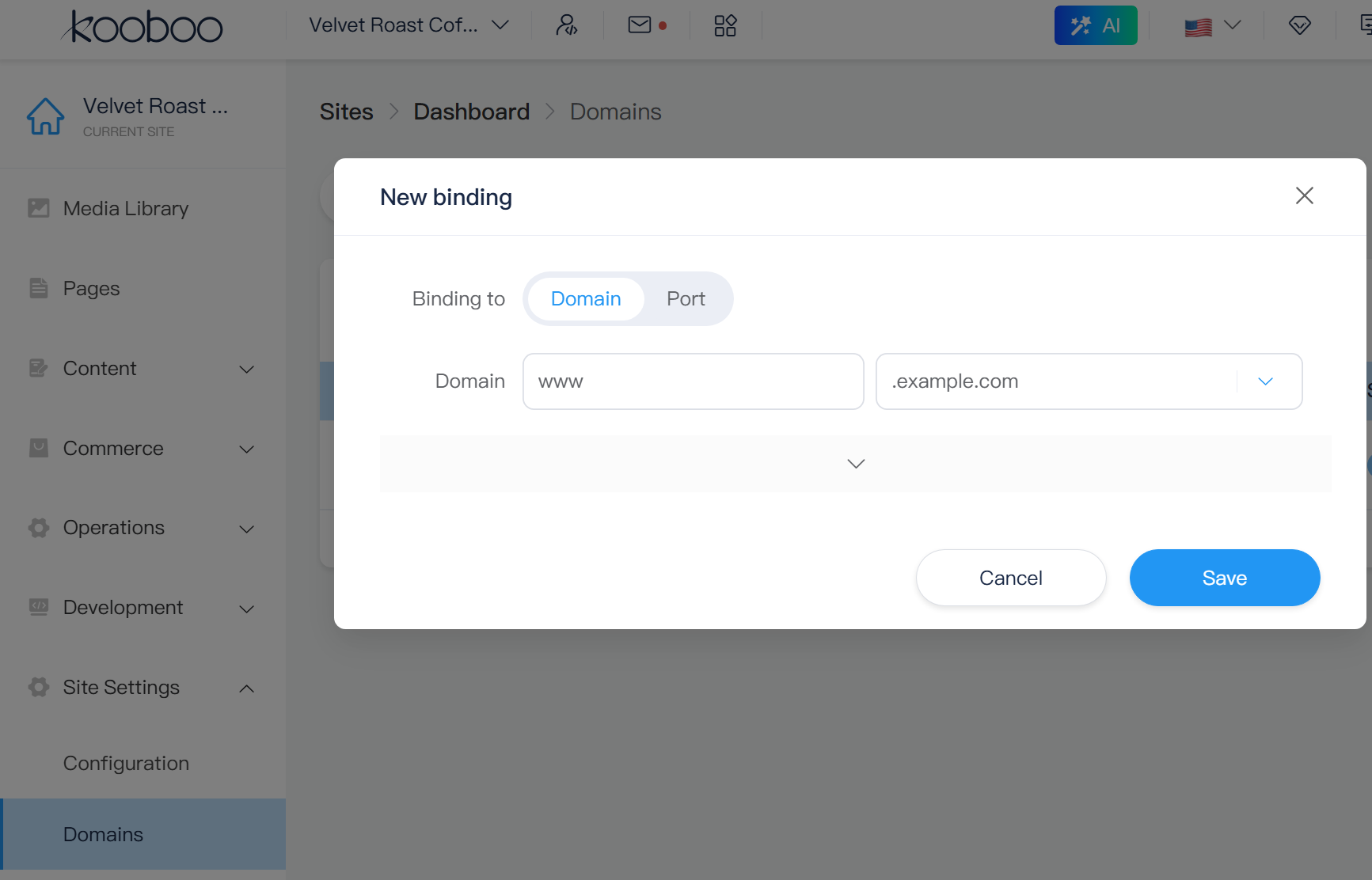
Create Business Email on the Same Domain
Building on the same domain, setting up professional mail takes only a few clicks:
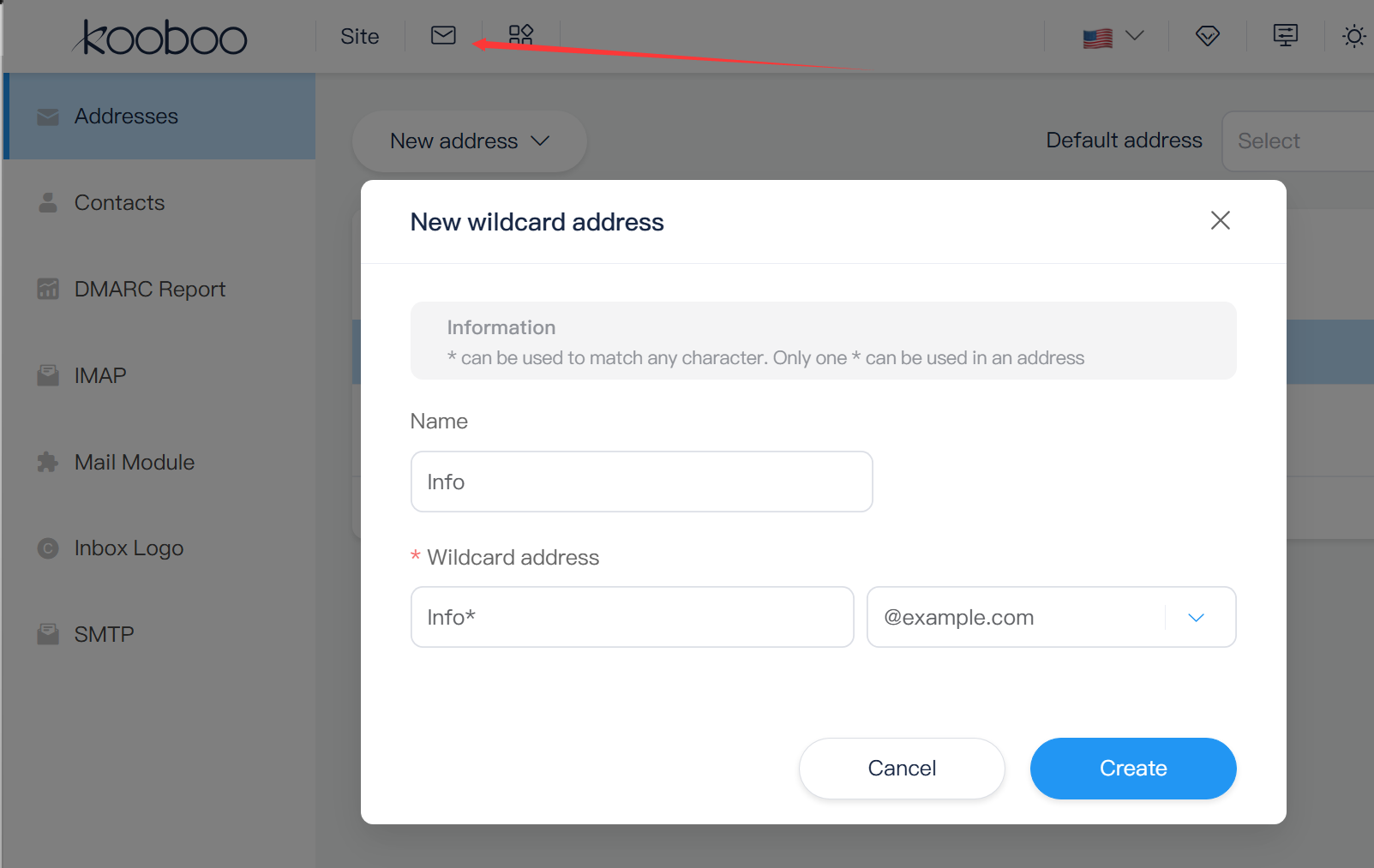
- Create an address: Navigate to the Mail section and create a new mailbox address, such as
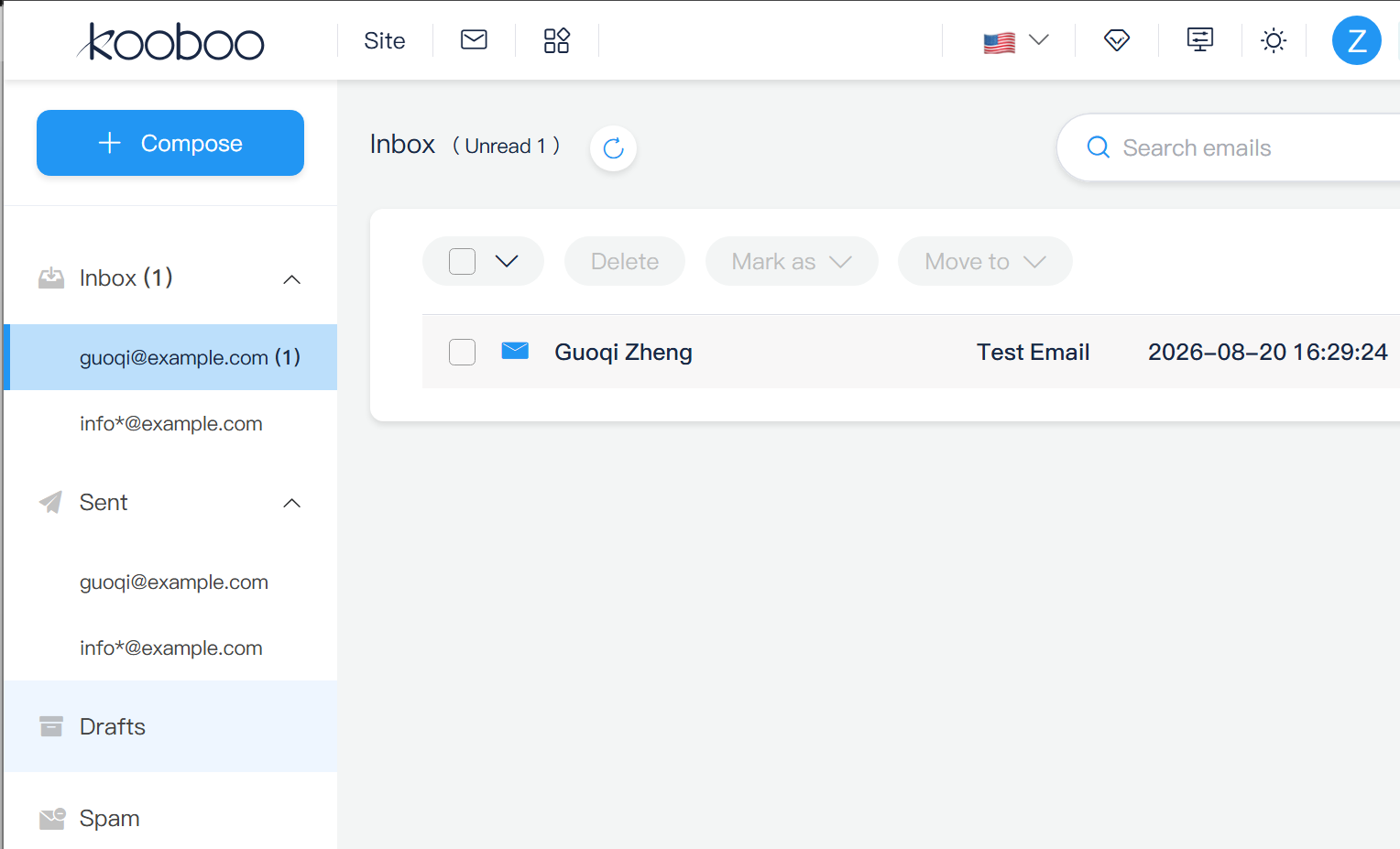
guoqi@example.com. - Access the inbox: Open the integrated Kooboo inbox interface.
- Send a message: Compose and send a test email to an external inbox (such as Gmail or Outlook).
- Verify delivery: Reply to that test email from your external inbox and confirm receipt inside your Kooboo webmail inbox.
This achieves the clean, unified outcome every modern business needs:
Website: https://www.example.com
Email: guoqi@example.com
All core internet protocols remain fully standard and compliant; Kooboo simply automates their orchestration in the background.
DNS Should Be Infrastructure—Not Homework
DNS translates user-friendly domain names into server-routable IP addresses. While foundational to the web, business owners shouldn't have to manage it line by line.
Kooboo operates its own authoritative DNS engine. A central account architecture stores your core domain configurations, while distributed Kooboo DNS servers maintain local caching with a standard 12-hour lifetime. This guarantees a centralized domain management model without introducing single-point lookup bottlenecks.
Because Kooboo natively understands its own hosting and email architecture, it dynamically updates records for:
- Root domains and subdomains
- Website host bindings
- Mail routing (MX)
- Sender authentication policies (SPF, DKIM, DMARC)
- Domain ownership and service verification
Advanced users can still review and edit raw DNS records whenever needed. However, standard operations never force you to become a DNS expert just to get online.
HTTPS Created Automatically When Needed
Kooboo's web runtime handles SSL/TLS certificates dynamically based on incoming domain requests. When a request hits a domain bound to a Kooboo site without an active SSL certificate, Kooboo triggers an automated request through its SSL service.
Utilizing Let's Encrypt integration, Kooboo requests, secures, caches, and binds the certificate instantly. Background services handle automatic renewals well before expiration dates arrive, completely removing manual maintenance tasks.
The site owner experiences a completely automated security flow:
Bind domain → Open secure site → Kooboo handles lifetime SSL renewal
Note: Certificate issuance remains contingent on public domain propagation and Let's Encrypt authority uptime. Kooboo automates the workflow but respects global web authority standards.
Email Authentication Belongs With the Domain
Receiving incoming email requires MX routing, but ensuring high deliverability for outgoing mail requires strict authentication policies:
- SPF (Sender Policy Framework): Informs receiving mail servers which IP addresses are authorized to send mail on behalf of your domain.
- DKIM (DomainKeys Identified Mail): Applies a cryptographic signature to outgoing messages to prove sender authenticity and email integrity.
- DMARC: Sets policy instructions for receiver servers on how to handle failed authentication checks and routes deliverability reports back to you.
Kooboo features built-in SPF verification, automated DKIM signing, and native DMARC report parsing. The mail panel displays clear security summaries, while the domain system generates all corresponding DNS entries automatically.
While accurate authentication records are essential for security, inbox placement also depends on domain reputation, content quality, low bounce rates, and healthy sending volume.
One Person Is Not the Same Thing as One Inbox
Traditional email services rely on a rigid legacy paradigm:
One account → One single mailbox
Real-world organizations operate differently. A single professional often oversees multiple brands, domains, operational roles, and public contact channels simultaneously. One user may require access to:
guoqi@example.comsupport@example.com- Catch-all domain routing rules
- Custom email forwarding targets
- Shared group distribution lists
Kooboo decouples individual user identities from specific email addresses. A single user login can control multiple email identities across several managed domains. Supported address types include:
- Standard Mailboxes: Full-featured addresses for everyday sending and receiving.
- Forwarding Addresses: Automatically reroute incoming messages to external destinations.
- Group Addresses: Distribute incoming messages among multiple team members.
- Wildcard / Catch-All Addresses: Dynamically capture messages sent to unassigned domain aliases.
Messages reside in a single user-level mail store tagged with specific address identities. Users can view a unified inbox or isolate individual addresses, seamlessly toggling their "From" address when composing or replying to emails.
The inbox belongs to the person. The addresses define the operational roles through which that person communicates.
Adapting IMAP for Multi-Address Management
For users who prefer third-party desktop or mobile applications (like Apple Mail, Outlook, or Thunderbird), Kooboo includes full IMAP over TLS support. It seamlessly handles standard operations including folder listing, mailbox selection, search queries, flags, and message moves.
To support multiple addresses over standard IMAP, Kooboo dynamically structures mailbox folders. When managing several aliases under one user account, address-specific sub-folders appear neatly below the primary inbox alongside global Sent, Drafts, Spam, and Trash directories.
This allows legacy email clients to interact smoothly with Kooboo's modern multi-address system without requiring custom software plugins.
Mail Capabilities Beyond the Inbox
Kooboo's mail application delivers an enterprise suite of communications tools out of the box:
- Custom folders and IMAP folder subscriptions
- Full-text search indexing
- Address book contact management
- Per-address custom email signatures
- Configurable default sender identities
- Full attachment support
- Calendar scheduling with event invitation parsing
- Custom outbound SMTP transport settings
- Interactive DMARC performance dashboards
- Support for BIMI and Verified Mark Certificates (VMC) visual trust badges
Furthermore, business email integrates directly with your website services, combining transactional application emails, e-commerce notifications, and marketing campaigns under one system.
Connecting Existing External Domains
If you purchase a domain directly inside Kooboo, infrastructure coordination is fully automated from day one.

If your domain is currently registered with an external registrar (such as GoDaddy or Namecheap), delegation requires one simple manual step: update your domain's authoritative nameservers at your registrar to point to Kooboo DNS. Once propagation completes, Kooboo handles all subsequent website and email record generation automatically within its platform.
Why Infrastructure Belongs in a Web OS
A simple page builder stops once HTML is published. A complete Web OS empowers an application to become a secure, fully operational online service.
Kooboo unifies your workflow by linking:
- Organizations to their domains
- Domains to their authoritative DNS zones
- Hostnames to their corresponding websites
- Websites to self-renewing SSL certificates
- Mail domains to automated delivery and security records
- Users to multi-address unified inbox views
- Applications to transactional and promotional mail delivery
You no longer need to stitch together separate domain registrars, DNS hosts, SSL cert vendors, web hosting panels, email hosts, and marketing platforms. Kooboo delivers everything in one place.
Your domain should identify your entire business—not launch another frustrating infrastructure project.